














Reward double opt-in with a discount
Compliant two-step opt-ins that deliver an instant discount and lift confirmation rates.
Re-engage inactive customers with personalized messages and escalating incentives across email, web push, and SMS.
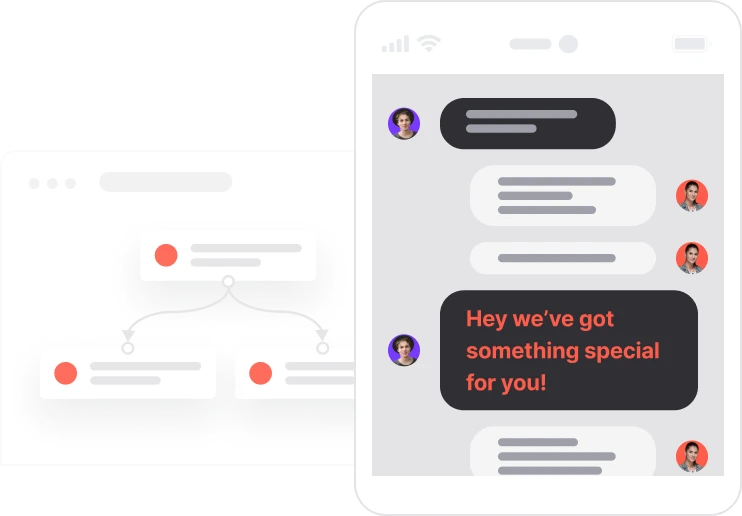
A customer who bought once and went quiet is not gone. They just need the right reason to come back. This win-back sequence watches the clock from the moment of their last purchase and acts at exactly 30, 60, and 90 days. Not a blast to the whole list. A timed, channel-matched message for each contact, based on what consents they have given. The first touch is soft: personalized recommendations, a gentle nudge. The second brings a 10% discount code. The third raises it to 20% off with free shipping. Every step is tracked. Coupons are assigned and tagged automatically. And if a discount pool runs dry, an alert fires before anyone misses out. The longer the silence, the stronger the offer. Simple logic, fully automated.

A customer places an order and then goes quiet. The clock starts. At 30 days, they get a personalized email: product recommendations based on what they bought before, nothing pushy. If they open it but still do not buy within three days, a web push notification sends them back to the bestsellers. At 60 days, the system steps up. A 10% discount code is assigned automatically and sent via SMS if consent is available, or email if not. The contact is tagged for tracking. At 90 days, the stakes go higher: 20% off plus free shipping, sent by email. Tagged again. Throughout the whole sequence, every coupon assignment is logged as an event. If a discount pool runs out before a code can be assigned, an alert email goes to the team immediately. Nothing gets lost, nothing gets missed.
30-day post-purchase re-engagement: When the contact's last purchase was exactly 30 days ago and email consent is active, the system sends a personalized email with product recommendations based on past purchases. If the email is opened but no purchase follows within three days, the automation moves to the next step.
Web push follow-up after no purchase: If no purchase is detected after the three-day wait and the contact has an active web push subscription, a web push notification is sent linking to the Bestsellers page to encourage a quick return.
60-day win-back with discount incentive: When the last purchase was exactly 60 days ago and email consent is active, the system attempts to assign a winback10 discount code. If no valid coupon is available, an alert email is sent to the team immediately. If the assignment succeeds, a coupon assigned event is created. The discount is sent via SMS if consent is active, otherwise by email. The contact is tagged with coupon_winback10.
90-day high-intent win-back offer: When the last purchase was exactly 90 days ago and email consent is active, the system assigns a winback20 discount code. If the coupon has value, a coupon assigned event is created and an email offering 20% off plus free shipping is sent. The contact is tagged with coupon_winback20 for tracking and future segmentation.
Implementing use case automation involves several key steps and tools. Here's a comprehensive ressources to get you started:
Marketing on a new level with a beautiful visual, drag & drop creator.
Send personalized emails that resonate with your users at the perfect moment.
Automate SMS delivery based on user actions or specific conditions.
Deliver personalized notifications to users of your website or app.
Create promotions, import unique codes, and assign them automatically.
A contact attribute is a data field stored on the contact's profile, used for segmentation, personalization, reporting, and automation.
Segments are dynamic groups that update in real time based on contact behavior and attributes.
A product event tracks a contact's interaction with a specific product.
A promotion is a named bundle of discount codes that can be assigned automatically to contacts during a flow.
Tags are flexible labels used to categorize contacts for tracking, segmentation, and targeting.
Adjust the channel order in the flow to match your audience's preferred communication channels.
Replace {{YOURAPP}} with your app domain to generate correct links and configure contact notifications in the email module.
Adjust the 30/60/90-day timing to match your business's actual purchase recurrence cycle.
Check that this flow does not overlap with ongoing mass campaigns already targeting the same contacts.
Trusted by fast-growing teamsStart from a proven use case designed to help you engage faster, with relevance and impact.
More ways to engage your audienceCompliant two-step opt-ins that deliver an instant discount and lift confirmation rates.
In-app messages that surface new features the moment mobile users open the app.
Automated deal and task creation that puts sales on every expired subscription within days.