














Reward double opt-in with a discount
Compliant two-step opt-ins that deliver an instant discount and lift confirmation rates.
Capture shopper intent the moment they enter a category. A live countdown widget creates urgency and drives faster purchase decisions, without blocking the page.
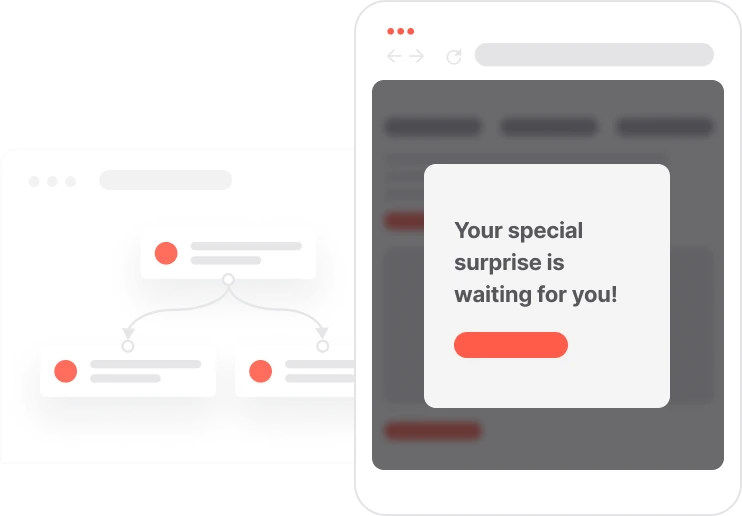
A visitor who lands on a product category page is already interested. That moment of intent is exactly the right time to introduce urgency. This use case displays a discreet countdown widget the instant a contact enters a relevant category, presenting a time-limited offer without disrupting their browsing. The widget stays visible as they scroll through products, reinforcing the message naturally. Simple to deploy across categories and campaigns, it works equally well for seasonal sales, flash promotions, or any offer where timing makes the difference.

A contact lands on a product category page. The system instantly detects the URL pattern and triggers a countdown widget: a top bar or floating banner showing a category-specific offer alongside a live timer. As the contact scrolls and browses, the widget stays in view without blocking any content. The countdown reflects the actual remaining time of the promotion. When the timer hits zero or the contact navigates away from the category, the widget disappears. The right message, at the right moment, with zero friction.
Category page entry detection: When a contact lands on a predefined category or tab, identified by a specific URL pattern, the system recognizes the visit and triggers the onsite automation linked to that category.
Countdown promo widget displa: A non-blocking top bar or floating widget appears immediately, showing a promotional message and CTA related to the current category, along with a real-time countdown timer.
Persistent but non-intrusive visibility: The widget remains visible while the contact scrolls and browses products within the category, without blocking page content or preventing interactions with the store.
Time-based promotion logic: The countdown dynamically reflects the predefined end date and time of the promotion. Once the timer expires, the widget automatically stops displaying or updates according to the campaign rules.
Exit or category change handling: When the contact leaves the category or navigates to a different section of the website, the widget is hidden to ensure relevance and avoid unnecessary repetition.
This workflow uses two modules working together: Automations and Pop-Ups. Here's everything you need to get started.
Marketing on a new level with a beautiful visual, drag & drop creator.
Collect information from your visitors and navigate them on the website.
Identify the specific URL patterns that distinguish the target category (e.g., URL contains /winter-sale/ or /electronics/).
Prepare the end date and time for the offer. Insert the countdown module or HTML snippet into the widget design.
Trusted by fast-growing teamsStart from a proven use case designed to help you engage faster, with relevance and impact.
More ways to engage your audienceCompliant two-step opt-ins that deliver an instant discount and lift confirmation rates.
In-app messages that surface new features the moment mobile users open the app.
Automated deal and task creation that puts sales on every expired subscription within days.