














Reward double opt-in with a discount
Compliant two-step opt-ins that deliver an instant discount and lift confirmation rates.
Flashing tab notifications: recapture dsistracted shoppers
Reclaim attention when contacts switch tabs by flashing a custom browser-tab message tailored to defined and anonymous visitors.
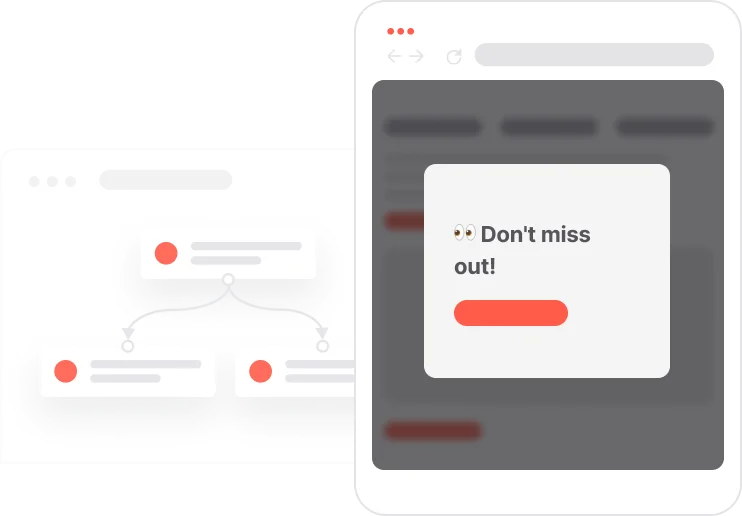
A shopper has items in their cart. They open a new tab. The page goes quiet. This is where most stores give up. This use case does not. The moment a visitor switches away from a cart page, the browser tab title starts flashing a short, personal message. Known contacts see a friendly nudge tied to their session. Anonymous visitors see a subtle curiosity hook. The flashing continues until they come back. When they return, the tab restores to normal and an event is logged that can trigger a follow-up, like a pop-up with a discount code. The whole thing runs on a lightweight JavaScript snippet. No emails, no SMS, no delay. Just a gentle reminder in the one place they are definitely looking: their browser tabs.

A shopper lands on the cart page. The automation detects the URL contains cart and injects a small JavaScript snippet. For now, nothing visible happens. The shopper gets distracted and clicks over to another tab. The moment they do, the browser tab title for the store starts flashing. A known contact sees: Thinking about your cart? An anonymous visitor sees: Psst your cart misses you! The message alternates with the original page title once per second. The shopper glances at their tab bar, sees the flashing message, and clicks back. The original title is restored immediately. An event is logged. From there, the event can trigger anything from a discount pop-up to a follow-up automation. All of this happens without a single email, push notification, or interruption to whatever they were doing in the other tab.
Page detection on cart pages: The automation starts with a Page Visit trigger configured to match URLs containing cart. This ensures the flashing tab notification only activates on high-intent pages where recovery is most valuable.
Contact type check: A filter checks whether the contact is defined, meaning they have an email attribute in their profile, or anonymous. This single check powers the message personalization for each visitor type.
JavaScript injection via Send Code: The Send Code module injects a lightweight JavaScript snippet that listens for the browser's tab visibility change event. The snippet includes the original page title, the flash message for that visitor type, favicon URLs, and a configurable interval duration set to 1 second by default.
Tab visibility monitoring and message flashing: When the user switches to another tab, the script detects document.hidden = true and starts alternating the browser tab title between the original page title and the flash message. For defined contacts: an emoji and a friendly reminder about the cart. For anonymous visitors: a playful curiosity nudge. The flashing continues until the user returns.
Return detection and event logging: When the user returns to the tab, the script stops the interval and restores the original page title and favicon. A Flashing tab popup event is logged in User.com, which can then trigger follow-up automations such as a pop-up offering a discount code to complete the purchase.
Implementing use case automation involves several key steps and tools. Here's a comprehensive ressources to get you started:
Marketing on a new level with a beautiful visual, drag & drop creator.
Show a thank-you pop-up with a discount offer when the visitor returns after a flashing tab notification.
A contact attribute is a data field stored on the contact's profile, used for segmentation, personalization, reporting, and automation.
Global variables store values that can be used across automations and campaigns without hardcoding them in each flow.
Implement scripts using Append to HTML = false and custom message handling in Positive User widget:
- add onPayloadReceived function in the civchat object
- remove IMG elements from the send code modules
- turn Append to HTML to false
Trusted by fast-growing teamsStart from a proven use case designed to help you engage faster, with relevance and impact.
More ways to engage your audienceCompliant two-step opt-ins that deliver an instant discount and lift confirmation rates.
In-app messages that surface new features the moment mobile users open the app.
Automated deal and task creation that puts sales on every expired subscription within days.