





Lancez vos scénarios en quelques minutes
Modèles prêts à l'emploi et cas d'usage prêts à activer pour email, SMS et WhatsApp. Commencez simple, montez en puissance quand vous êtes prêt.





Aucun élément ne correspond à vos filtres actuels. Essayez d'ajuster vos critères ou de réinitialiser tous les filtres.
Marketing
Marketing
Commerciales
Produit
Service clients


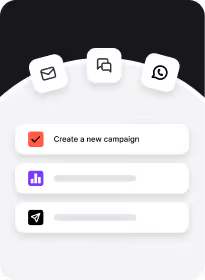
Concevez et lancez des campagnes multicanales
Créez des campagnes email, SMS et push qui fonctionnent ensemble.

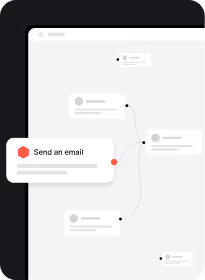
Automatisez les workflows pour gagner du temps
Configurez une automatisation intelligente et laissez-la gérer le travail répétitif.

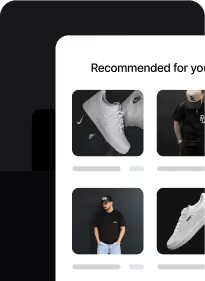
Personnalisez les parcours clients
Offrez des expériences sur mesure basées sur le comportement et les préférences.

Accédez à des données et analyses fiables.
Prenez de meilleures décisions grâce à des insights clairs et des rapports exploitables.
Scorez les leads pour prioriser les meilleures opportunités
Concentrez votre énergie sur les prospects les plus susceptibles de convertir.
Automatisez le lead nurturing pour vous concentrer sur les opportunités les plus chaudes
Maintenez l'intérêt des leads avec des séquences automatisées qui restent personnelles.
Alignez-vous avec le marketing pour convertir les leads qualifiés
Travaillez sur les mêmes données pour qu'aucune opportunité ne vous échappe.
Prédisez le chiffre d'affaires et raccourcissez les cycles de vente
Obtenez une vision claire de votre pipeline et concluez plus vite.
Analysez le comportement des utilisateurs pour améliorer l'engagement.
Identifiez précisément où et pourquoi vos utilisateurs décrochent.
Guidez l'onboarding pour améliorer l'adoption.
Créez des parcours in-app qui aident les nouveaux utilisateurs à trouver de la valeur plus rapidement.
Identifiez les risques de churn pour agir à temps.
Détectez les utilisateurs désengagés tôt et déclenchez la bonne réponse.
Recueillez du feedback pour de meilleures décisions produit.
Lancez des enquêtes et recueillez des insights directement auprès de vos utilisateurs.
Centralisez les communications clients pour répondre plus vite.
Réunissez toutes les conversations dans un espace partagé. Fini les messages manqués.
Automatisez les mises à jour pour garder vos clients informés.
Envoyez des mises à jour pertinentes et ponctuelles sans effort manuel.
Personnalisez les réponses pour construire des relations plus solides.
Utilisez les données client pour répondre avec contexte, pas seulement des réponses.
Mesurez la satisfaction pour améliorer la qualité du service.
Suivez le CSAT et les temps de réponse pour maintenir votre équipe performante.
Du cas d'usage à l'automatisation
Vous savez maintenant ce que vous pouvez faire. À vous de construire votre propre automatisation, en toute simplicité. Connectez vos canaux, créez votre premier workflow, et envoyez le bon message au bon moment. Sans une ligne de code.

Questions fréquentes
À quoi sert la bibliothèque d'automatisations prêtes à l'emploi ?
Construire un workflow de marketing automation complet à partir de zéro peut être un vrai défi : identifier les données nécessaires pour déclencher vos triggers, concevoir chaque étape, ajouter des garde-fous, ajuster le timing… Nous simplifions cela en vous donnant des automatisations prêtes à l'emploi que vous pouvez utiliser tout de suite.
Puis-je utiliser ces workflows sans compétences techniques ?
Oui. Chaque automatisation est conçue pour être lancée en quelques clics dans la plateforme. Aucun code requis.
Les automatisations fonctionnent-elles pour tous les secteurs ?
Oui. Chaque automatisation est adaptable à votre secteur et à vos objectifs, qu'il s'agisse de conversion, rétention, réactivation ou upsell.
Puis-je personnaliser un cas d'usage existant pour mon activité ?
Absolument. Chaque workflow est un point de départ. Vous pouvez modifier les triggers, les canaux (email, SMS, push) et les conditions pour les adapter à votre audience et à vos données.