



Email
Email
Thank you! Your submission has been received!
Oops! Something went wrong while submitting the form.

Smart Product Replenishment Reminder

Automatically remind customers to reorder products before they run out, using replenishment cycles and personalized recommendations
Objectifs
Encourage repeat sales
Improve conversion and sales
Improve personalization and the customer experience
Secteurs
Thank you! Your submission has been received!
Oops! Something went wrong while submitting the form.
Balises
Thank you! Your submission has been received!
Oops! Something went wrong while submitting the form.
Thank you! Your submission has been received!
Oops! Something went wrong while submitting the form.
Thank you! Your submission has been received!
Oops! Something went wrong while submitting the form.
Thank you! Your submission has been received!
Oops! Something went wrong while submitting the form.
Thank you! Your submission has been received!
Oops! Something went wrong while submitting the form.
Thank you! Your submission has been received!
Oops! Something went wrong while submitting the form.

Descriptif

This use case allows e-commerce brands to automatically notify customers when the products they previously purchased are likely running out. By using product attributes such as Replenishment days and deal delivery dates, the system predicts when a customer will need to reorder and sends personalized reminders a set number of days before depletion. Each email can include the customer’s previously bought products, direct product links, and an optional discount code.

Effort d'implémentation

Impact sur un objectif

Assets

No items found.
Outcome
Increased repeat purchase rates
Higher customer lifetime value
More relevant and timely communications

Scénario utilisateur détaillé

The system evaluates customers daily to determine whether they purchased products with defined replenishment cycles and are approaching the end of their usage period. Product groups are split into segments such as Replenishment 30 or Replenishment 90 based on the configured Replenishment days attribute. Deal segments then match completed orders containing these products, filtered by delivery date conditions that reflect when the reminder should be sent. Calculated attributes calculate how many replenishment-relevant deals each customer has, and if the count is greater than zero, the system triggers a personalized replenishment reminder email. Emails include direct product links, contextual recommendations, and optional incentives.

Étape par étape

  • 1
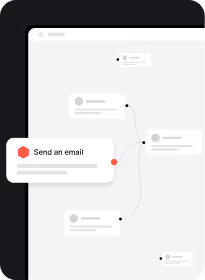
    Daily check of product replenishment cycles: Every day at a scheduled time, the system reviews completed deals that match replenishment-defined segments – for example, Replenishment 30 deals delivered 20 days ago, when the notification period is 10 days before depletion
  • 2
    Calculated attributes evaluation for each contact: A calculated attributes sum the number of deals a contact has within each replenishment cycle segment (e.g., Number of products with Replenishment 30). If the value is greater than zero, this indicates the contact is approaching the end of that product’s usage period
  • 3
    Contact eligibility and consent verification: The automation checks whether Consent email = TRUE. Only contacts with valid email consent receive the replenishment reminder
  • 4
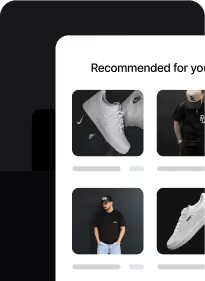
    Triggering the personalized reminder email: If the deal condition + calculated attributes value > 0 are both satisfied, the system sends an email containing the product name, product image, direct product URL, and optional promotions. The reminder highlights that the customer is nearing the end of their product cycle and includes a CTA to reorder
  • 5
    Separate flows for each replenishment cycle: Dedicated automations (e.g., Replenishment 30 and Replenishment 90) ensure accurate timing and personalized product recommendations for each cycle, minimizing errors and maximizing relevance

Detail user scenario

Step-by-step

  • 1
    Daily check of product replenishment cycles: Every day at a scheduled time, the system reviews completed deals that match replenishment-defined segments – for example, Replenishment 30 deals delivered 20 days ago, when the notification period is 10 days before depletion
  • 2
    Calculated attributes evaluation for each contact: A calculated attributes sum the number of deals a contact has within each replenishment cycle segment (e.g., Number of products with Replenishment 30). If the value is greater than zero, this indicates the contact is approaching the end of that product’s usage period
  • 3
    Contact eligibility and consent verification: The automation checks whether Consent email = TRUE. Only contacts with valid email consent receive the replenishment reminder
  • 4
    Triggering the personalized reminder email: If the deal condition + calculated attributes value > 0 are both satisfied, the system sends an email containing the product name, product image, direct product URL, and optional promotions. The reminder highlights that the customer is nearing the end of their product cycle and includes a CTA to reorder
  • 5
    Separate flows for each replenishment cycle: Dedicated automations (e.g., Replenishment 30 and Replenishment 90) ensure accurate timing and personalized product recommendations for each cycle, minimizing errors and maximizing relevance

Comment le mettre en œuvre ?

La mise en œuvre de l'automatisation des cas d'utilisation implique plusieurs étapes et outils clés. Voici des ressources complètes pour vous aider à démarrer :

Modules d'occasion
Prérequis
Guide étape par étape
Rédigé par

Read the guide
Recommended data structure
Contact Attributes
Contact attribute is a named data field that describes a specific property of a contact stored on its profile and used for segmentation, personalization, reporting, and automation.
Attribute name Attribute type
email (standard) string
Consent email (custom) boolean
Replenishment 30 (custom) integer
Replenishment 90 (custom) integer
Product Attributes
A product attribute is a data field describing a property of a product, such as price, size, or color. It is stored on the product profile and can be used for segmentation, personalization, reporting, and automation.
Attribute name Attribute type
Name (standard) string
Product URL (standard) string
Image URL (standard) string
Replenishment days (custom) integer
Deal Attributes
A deal in represents a specific sales opportunity or business transaction that you want to track through your CRM process.
Attribute name Attribute type
stage (standard) integer
Date delivered (custom) datetime
Segments
Segments are dynamic groups generated based on predefined criteria, which update in real-time as contacts behaviors and attributes change.
Segment name Segment definition
Replenishment 30 (product segment) Based on the product attribute Replenishment days = 30
Replenishment 90 (product segment) Based on the product attribute Replenishment days = 90
Replenishment 30 - deals (deal segment) Include all completed deals containing products from Replenishment 30 segment, that dete delivered was 20 days ago
Replenishment 90 - delas (deal segment) Include all completed deals containing products from Replenishment 90 segment, that dete delivered was 80 days ago
Aggregators
An aggregator is a module that lets you collect numerical data. You can either count event occurrences or sum up the value of their attributes.
Aggregators name Aggregators definition
Number of products with Replenishment 30 The aggregator sums up the deals from a Replenishment 30 segment and saves this number in the user attribute Replenishment 30. If the value is greater than 0, it means that the user has a deal from this segment
Number of products with Replenishment 90 The aggregator sums up the deals from a Replenishment 90 segment and saves this number in the user attribute Replenishment 90. If the value is greater than 0, it means that the user has a deal from this segment
No items found.
Join others who leveraged this use-Case
No items found.
Warning
Things to take into consideration when leveraging this use-case
Ensure date consistency: Date Delivered must be populated for all completed orders
Note: The snippet tag in the email indicates that the stage 2 is completed. Adjust the snippet tag if you have a different order in your pipeline

Discover the Perfect Use-Case for Your Company

Don't waste time on repetitive tasks. Let automations handle it.
Thank you! Your submission has been received!
Oops! Something went wrong while submitting the form.
You may also be interested in

Passez au niveau supérieur...

Ressources créatives telles que (HTML prêt à l'emploi)
Extraits de code
Modèles d'automatisation
Structure de données recommandée
Extraits de code
Aide-mémoire
Débloquez le cas d'utilisation complet

Discover the Perfect Use-Case for Your Company

Don't waste time on repetitive tasks. Let automations handle it.
Thank you! Your submission has been received!
Oops! Something went wrong while submitting the form.