








Oops! Something went wrong while submitting the form.
Facebook Lead Ads to Sales Automation
Automatically sync Facebook Lead Ads into your Sales, create deals, assign owners, and trigger sales actions instantly.
Cele
Manage leads and accelerate the sales funnel
Acquire more customers more efficiently
Improve personalization and the customer experience
Branże
Thank you! Your submission has been received!
Oops! Something went wrong while submitting the form.
Thank you! Your submission has been received!
Oops! Something went wrong while submitting the form.
Thank you! Your submission has been received!
Oops! Something went wrong while submitting the form.
Thank you! Your submission has been received!
Oops! Something went wrong while submitting the form.
Thank you! Your submission has been received!
Oops! Something went wrong while submitting the form.
Thank you! Your submission has been received!
Oops! Something went wrong while submitting the form.
Thank you! Your submission has been received!
Oops! Something went wrong while submitting the form.
Thank you! Your submission has been received!
Oops! Something went wrong while submitting the form.
Thank you! Your submission has been received!
Oops! Something went wrong while submitting the form.
Thank you! Your submission has been received!
Oops! Something went wrong while submitting the form.
Thank you! Your submission has been received!
Oops! Something went wrong while submitting the form.
Thank you! Your submission has been received!
Oops! Something went wrong while submitting the form.
Thank you! Your submission has been received!
Oops! Something went wrong while submitting the form.
Thank you! Your submission has been received!
Oops! Something went wrong while submitting the form.
Thank you! Your submission has been received!
Oops! Something went wrong while submitting the form.
Thank you! Your submission has been received!
Oops! Something went wrong while submitting the form.
Thank you! Your submission has been received!
Oops! Something went wrong while submitting the form.
Thank you! Your submission has been received!
Oops! Something went wrong while submitting the form.
Thank you! Your submission has been received!
Oops! Something went wrong while submitting the form.
Thank you! Your submission has been received!
Oops! Something went wrong while submitting the form.
Thank you! Your submission has been received!
Oops! Something went wrong while submitting the form.
Thank you! Your submission has been received!
Oops! Something went wrong while submitting the form.
Tagi
Thank you! Your submission has been received!
Oops! Something went wrong while submitting the form.
Thank you! Your submission has been received!
Oops! Something went wrong while submitting the form.
Thank you! Your submission has been received!
Oops! Something went wrong while submitting the form.
Thank you! Your submission has been received!
Oops! Something went wrong while submitting the form.
Thank you! Your submission has been received!
Oops! Something went wrong while submitting the form.
Opis
This use case seamlessly connects Facebook Lead Ads with your Sales, ensuring every new lead enters your pipeline without delays or manual work. When a contact submits a lead form, the system instantly creates or updates the contact, opens a new deal, assigns it to the right team member, and triggers the next steps in the sales process. This automation boosts lead response speed, increases sales team efficiency, and prevents high-intent leads from slipping through the cracks. With structured deal stages and event tracking, your team gains clear visibility into lead progression and performance.
Wysiłek wdrożeniowy
Wpływ na cel
Assets
No items found.
Outcome
Faster lead qualification and response times
Higher conversion rates from paid lead acquisition
Improved sales team efficiency and process consistency
Scenariusz użytkownika
When a person submits a Facebook Lead Ads form, Make.com catches the submission and sends contact data to User.com, creating or updating the contact record. Simultaneously, Make.com triggers an event in User.com that initiates the Sales automation. A new deal is created in the “Leads” pipeline, assigned to the appropriate team member, and enriched with details such as email, phone number, source, and form name. The system also schedules a task to ensure timely follow-up. Once a sales rep moves the deal from New Lead to Started, a dedicated event is created to track process initiation.
Krok po kroku
1
Lead Ads submission detection and contact updatez:
When a contact submits a Facebook Lead Ads form, Make.com detects the new submission and either creates or updates the corresponding contact in User.com, filling in attributes such as Email and Phone number. Make.com then sends the Lead ADS submission event to User.com.
2
Deal creation and assignment in Sales:
Upon receiving the Lead ADS submission event, the system automatically creates a new deal in the “Leads” pipeline, assigns it to the appropriate sales team member or group, and sets the initial pipeline stage to New Lead.
3
Task creation for follow-up:
A task – either a call or email step depending on the sales process – is attached to the deal, the assigned rep, and the contact, ensuring timely follow-up.
4
Deal attribute enrichment:
The automation updates the deal with key information: the contact’s email, phone number, Lead ADS form name, and the Source value set to “facebook”.
5
Sales process tracking:
When a sales representative moves the deal stage from New Lead to Started, the system automatically creates the Lead started process event, enabling accurate monitoring of lead progress and response times.
Szczegółowy scenariusz użytkownika
Krok po kroku
1
Lead Ads submission detection and contact updatez:
When a contact submits a Facebook Lead Ads form, Make.com detects the new submission and either creates or updates the corresponding contact in User.com, filling in attributes such as Email and Phone number. Make.com then sends the Lead ADS submission event to User.com.
2
Deal creation and assignment in Sales:
Upon receiving the Lead ADS submission event, the system automatically creates a new deal in the “Leads” pipeline, assigns it to the appropriate sales team member or group, and sets the initial pipeline stage to New Lead.
3
Task creation for follow-up:
A task – either a call or email step depending on the sales process – is attached to the deal, the assigned rep, and the contact, ensuring timely follow-up.
4
Deal attribute enrichment:
The automation updates the deal with key information: the contact’s email, phone number, Lead ADS form name, and the Source value set to “facebook”.
5
Sales process tracking:
When a sales representative moves the deal stage from New Lead to Started, the system automatically creates the Lead started process event, enabling accurate monitoring of lead progress and response times.
Jak to wdrożyć?
Wdrożenie automatyzacji przypadków użycia obejmuje kilka kluczowych kroków i narzędzi. Oto obszerne zasoby, dzięki którym możesz zacząć:
Używane moduły
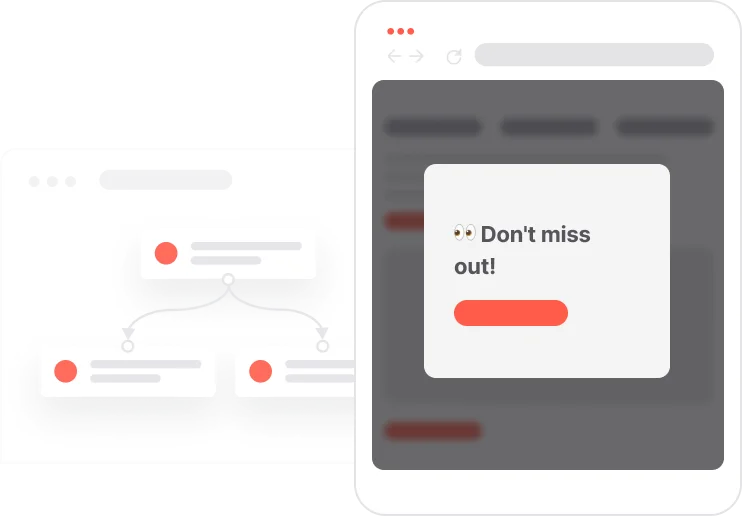
Wyskakujące okienka
Marketing na nowym poziomie z pięknym wizualnym kreatorem przeciągania i upuść.
SMS Messages
Automate SMS delivery based on user actions or specific conditions.
Push Notifications
Delivers personalized notifications to users of your website (webpush) or app (mobile push).
Contact attribute is a named data field that describes a specific property of a contact stored on its profile and used for segmentation, personalization, reporting, and automation.
Attribute name
Attribute type
email
(standard) string
phone_number
(standard) string
Deals
A deal in represents a specific sales opportunity or business transaction that you want to track through your CRM process.
Attribute name
Attribute type
Email
(custom) string
Phone number
(custom) string
Lead ADS form
(custom) string
Source
(custom) fixed choice
Events
An event is a custom piece of information about something your contact does.
Event name
Event attributes
Lead ADS submission
Form name (string)
Lead started process
No items found.
Dołącz do innych którzy użyli ten Use-Case
No items found.
Cheat Sheet
To bring your use-case to the next level check how you can use the following methods:
Create a clear process for your sales team to proceed with
Warning
Things to take into consideration when leveraging this use-case
Make sure the User.com automation is edited according to your correct Pipeline stages
Odkryj idealny przypadek użycia dla Twojej firmy
Nie trać czasu na powtarzalne zadania. Pozwól automatyzacji sobie z tym poradzić.
Thank you! Your submission has been received!
Oops! Something went wrong while submitting the form.